reMarkable Paper Pro templates: how to import a PDF planner
Just unwrapped one? Try the free sample page below first, then add a work notebook.
The easiest way to get a planner or work notebook onto a reMarkable is a hyperlinked PDF. You drag it into the reMarkable app, it syncs to your tablet, and you write on every page and tap tabs to jump around. Here's how to import a PDF to reMarkable, and what to look for in a template made for the Paper Pro.
Works on your device, or I'll fix it or refund you in full.
How to import a PDF to reMarkable
These steps work the same on the reMarkable Paper Pro, the Paper Pro Move and the reMarkable 2. You need the reMarkable app on your computer or phone, signed in to the same account as your tablet.
Download the PDF. Etsy downloads are under Purchases. Unzip the file if it's zipped, and pick the file for your device: color for the Paper Pro, black-only for the reMarkable 2, and the 9:16 file for the Paper Pro Move.
Drag it into the reMarkable desktop app. Open the app on your Mac or PC and drop the PDF into My files. On a phone, open the PDF and share it to the reMarkable app.
Let it sync. The file shows up on your tablet within a minute or so when it's on Wi-Fi.
Open it and write. Write on any page with the Marker. Tap a tab, an index number or a link with your finger to jump to that page.
Turn on left-handed mode if you need it. Use the left-handed file, which puts the tabs on the left, so your hand doesn't cover them.
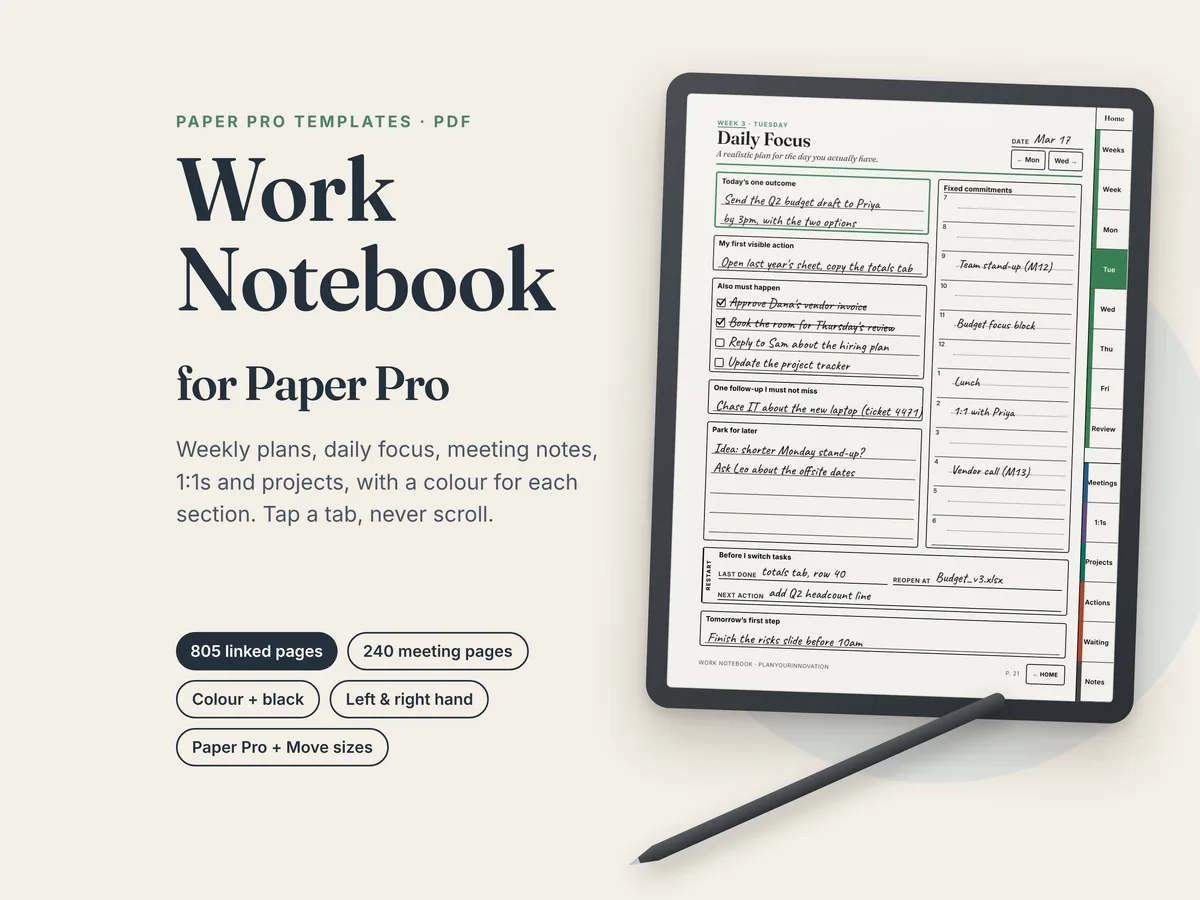
The Work Notebook on a Paper Pro: 805 linked pages, a color for each section.
A PDF planner is a notebook with a fixed layout, not a page style you pick from the reMarkable's template menu. You can add a blank page to a PDF on the tablet, but it won't be linked from the tabs. So pick a notebook with enough pages in each section from the start.
Paper Pro templates in color
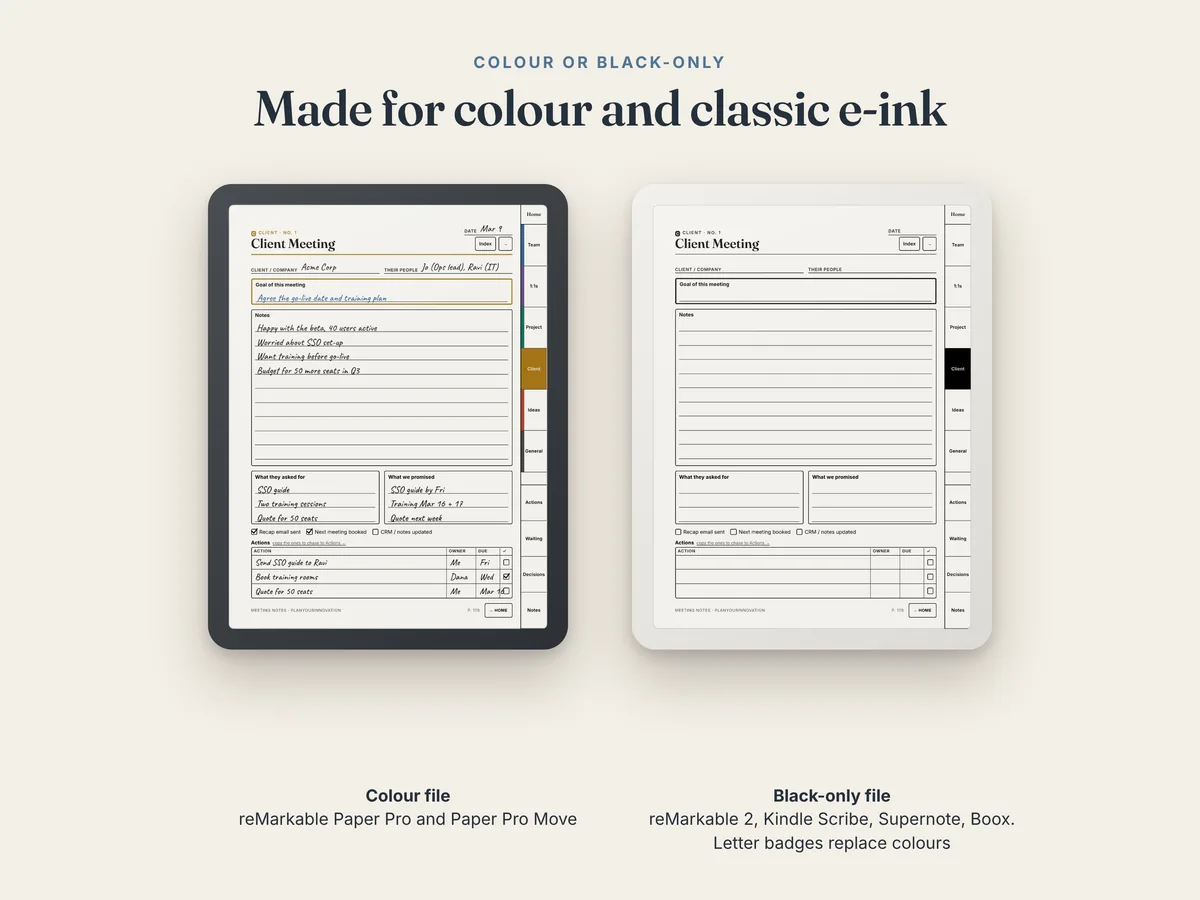
The Paper Pro has a color screen, so a template made for it can use soft color to mark sections without making pages hard to read. My Paper Pro files color each tab and section, and the same notebook comes as a black-only file for the reMarkable 2 and other e-ink tablets, with letter badges in place of colors.
Color for the Paper Pro and Paper Pro Move, black-only for the reMarkable 2 and other e-ink tablets.
Paper Pro Move templates
The Paper Pro Move has a taller, narrower 9:16 screen. A file made for the larger Paper Pro shows black bars on it, so the Move needs its own size. The Work Notebook and the 2027 Planner both have a Paper Pro Move edition with the same pages and links, laid out for the smaller screen.
reMarkable templates for work
I make three hyperlinked work PDFs for the reMarkable. Each comes in color and black-only, with a left-handed file too.
The Work Notebook for Paper Pro is undated and has 805 linked pages: 52 weeks of a weekly plan, five daily focus pages and a weekly review, 240 meeting pages with an index, 1:1 pages for 12 people, 20 projects, Actions, Waiting On and 40 notes pages. It's $12.99, and there's a Paper Pro Move edition.
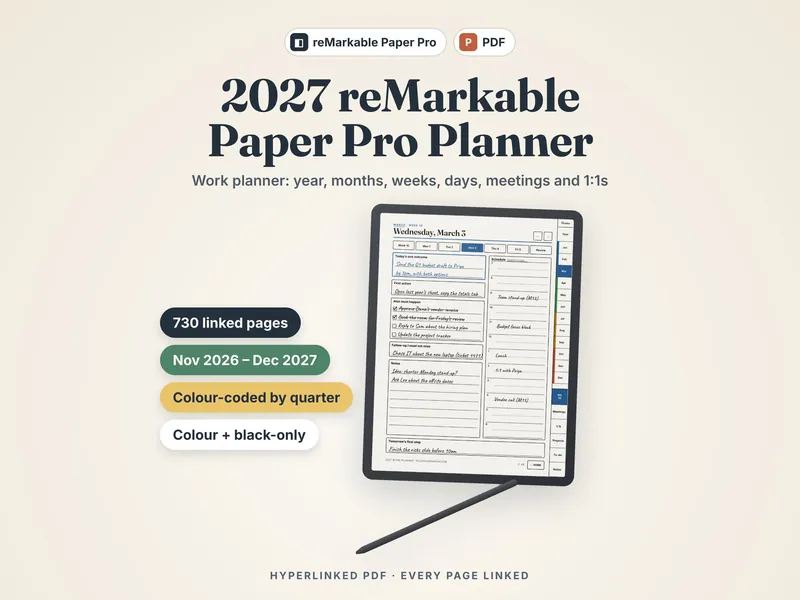
The 2027 Work Planner for Paper Pro starts in November 2026, so you can use it today. It has 730 linked pages: start-now pages for November and December 2026, then year, quarter and month plans, 53 weeks of 2027, 265 daily pages, 160 meeting pages, 1:1s for 10 people and 12 projects. It's $14.99, with a Paper Pro Move edition.
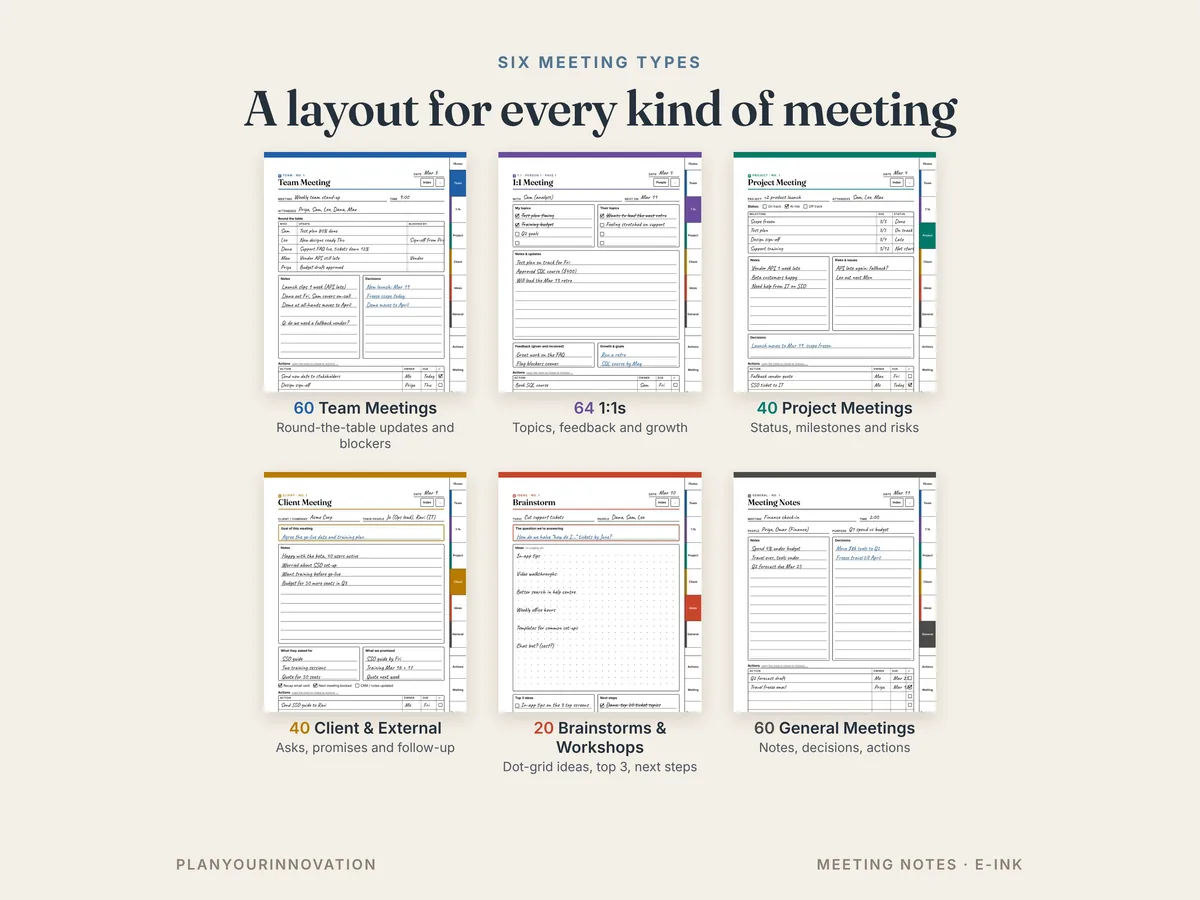
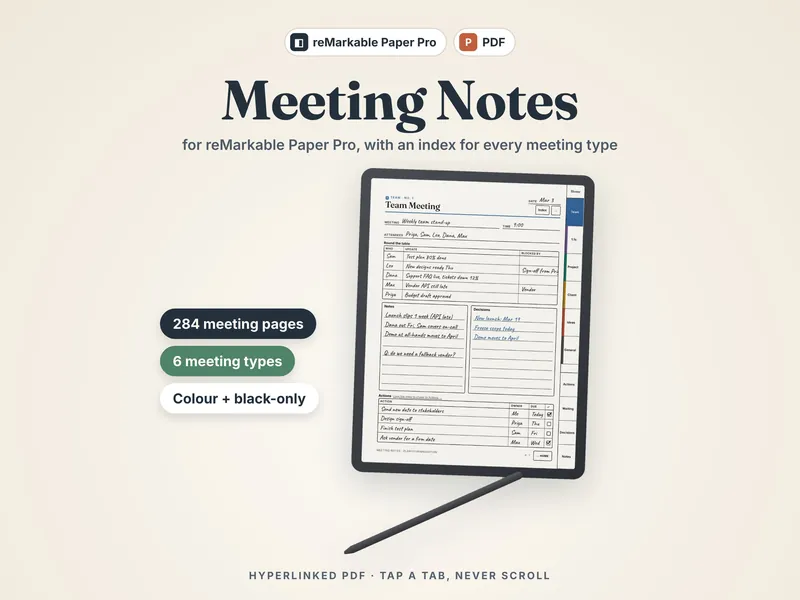
Meeting Notes for reMarkable Paper Pro is just for meetings: 284 meeting pages in six color-coded types (team, 1:1s, project, client, brainstorm and general), each with its own layout and index, plus Actions, Waiting On and a Decision Log. It's $9.99.
Want a lighter dated planner? The 14-Month Work Planner for reMarkable runs from November 2026 to December 2027 with weekly and monthly pages: 61 weeks on 198 linked pages, with color accents for the Paper Pro and a Sunday or Monday start.
Meeting Notes: six layouts, one for each kind of meeting.
Which one should you pick?
Want all three for reMarkable? Ink & Impact puts the 2027 work planner, the Work Notebook and Meeting Notes in one download: plan the year, write by hand every day and keep every meeting's actions. And if you'd rather track on a laptop, Two-Screen Pro pairs the e-ink Work Notebook and Meeting Notes with Meeting Command, the Work Task Manager and the Career Wins Tracker spreadsheets.
Want stickers for your notes? The reMarkable Work Sticker Pack has 230 work stickers for status, priorities, meetings, projects and deadlines, in a color edition for the Paper Pro and Paper Pro Move and a black edition for the reMarkable 2 and Paper Pure. Copy one onto any page, then move it, resize it or write on it.
You want one notebook for the whole work week: the Work Notebook. It's undated, so you can start any Monday.
You like dated pages and a year plan: the 2027 Work Planner.
Your day is mostly meetings: Meeting Notes. Its six layouts fit the meeting you're in, and every action lands on one list.
Not sure yet: get the free sample page below. It's the team-meeting page from Meeting Notes, so you can try it on your own tablet first.
Tips for using a PDF planner on reMarkable
Tap links with your finger, not the Marker, so you don't leave a stray mark.
Keep the notebook on your tablet and back it up now and then by exporting it from the reMarkable app.
Use the meeting index: write each meeting's topic next to its number, so you can find any meeting in two taps.
On Fridays, the weekly review page asks what got done, what slipped and what's next. It's the five minutes that keeps the notebook useful.
Get one real page from the Meeting Notes notebook: the team-meeting page, in color for the Paper Pro and fine in black on the reMarkable 2.
Free. Plus a short work-planning tip about once a week. Unsubscribe anytime.
The templates
Compare the options
New
Work Notebook for E-ink Tablets
An undated, hyperlinked work notebook for e-ink tablets: 52 weeks of daily focus pages, 240 meeting pages, 1:1 pages for 12 people and 20 project spaces. Now with a color edition for the Paper Pro, and left-handed editions.
A dated, hyperlinked 2027 work planner for e-ink tablets: year, quarter and month plans, a weekly plan, daily pages and a weekly review every week, 160 meeting pages, 1:1s for 10 people and 12 projects. Starts November 2026, so you can use it today.
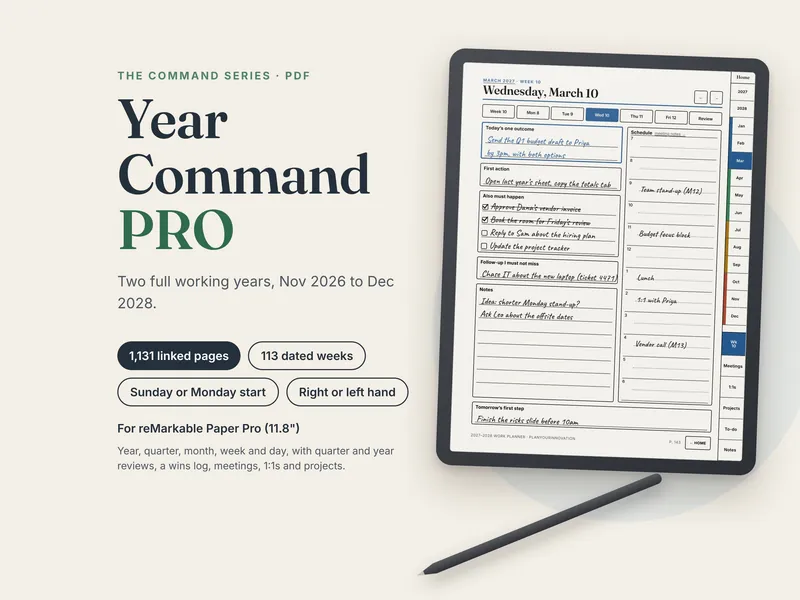
Two full working years, Nov 2026 to Dec 2028, on one hyperlinked PDF of 1,722 pages (about 17 MB): year, quarter, month, week and day pages, a notes page behind every weekday, week scores that roll up into your quarter and year reviews, monthly wins pages, 160 meeting pages, 1:1s for 10 people and 12 projects.
284 hyperlinked meeting pages in six color-coded types (team, 1:1s, project, client, brainstorm and general), each with its own layout and index, plus Actions, Waiting On and a Decision Log.
Drag the PDF into My files in the reMarkable desktop app, or share it to the reMarkable app on your phone. It syncs to your tablet, and you can write on every page.
Can I add custom templates to the reMarkable Paper Pro?
A planner like this works as a PDF notebook, which is the simple way that needs no setup: import it with the reMarkable app and write on it. It doesn't go into the built-in template menu.
Do the links work on reMarkable?
Yes. Tap a tab, an index number or a link with your finger and you jump to that page.
Are there templates for the Paper Pro Move?
Yes. The Work Notebook and the 2027 Work Planner both have a Paper Pro Move edition sized for its 9:16 screen. Meeting Notes includes a Paper Pro Move size too.
Will these work on the reMarkable 2?
Yes. Each download includes a black-only file that works on the reMarkable 2, as well as the color file for the Paper Pro.
Is there a left-handed version?
Yes. Each download includes a left-handed file with the tabs on the left side.