Job application tracker: how to track your job search in a spreadsheet
Once you've sent more than ten applications, it gets hard to remember who you applied to, when to follow up and what they asked in round two. A job application tracker keeps every application, interview, contact and offer in one spreadsheet. Here's how to set one up, and what to track.
Works on your device, or I'll fix it or refund you in full.
How to track job applications in a spreadsheet
This works in Excel or Google Sheets. Set it up once, and it takes a minute to log each new application.
Make one row per application. Add columns for Company, Role, Link, Date applied, Source, Status, Last contact, Next step and Contact person. Add salary range and location if they matter to you.
Make Status a dropdown. Use five or six choices, such as Applied, Screening, Interviewing, Offer, Rejected and Withdrawn. The same words every time mean you can filter and count them.
Set a follow-up rule. A week after you apply or last hear back, follow up. A conditional format that colors the row when "last contact" is more than 7 days ago does the remembering for you.
Log every interview round. Keep a second tab with the date, interviewer, the questions they asked, how it went and whether you sent a thank-you note.
Track your numbers. Count applications sent, interviews and offers. Your response rate (interviews divided by applications) tells you whether to change your résumé or where you apply.
Compare offers side by side. When offers come in, add up base pay, bonus, equity, sign-on and retirement match, then score the things money doesn't cover: the team, growth and work-life balance.
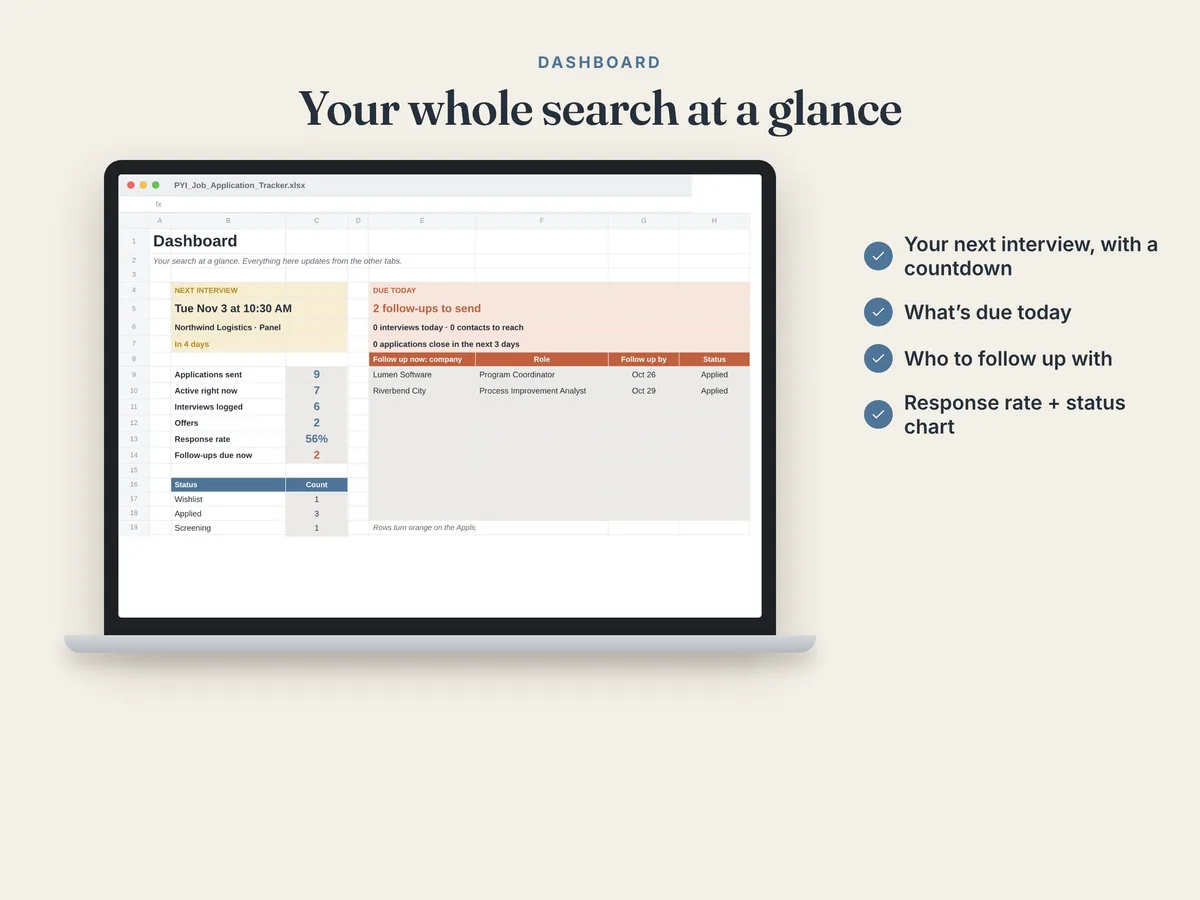
The dashboard: your next interview, what's due today and who to follow up with.
What to track for each application
The job link and a copy of the posting. Postings get taken down, and you'll want the wording before an interview.
Which résumé and cover letter you sent. If you tailor them, note the version so you can see which one gets replies.
The next step and its date. "Follow up Friday" or "Second round, Tuesday 10am" is the column you'll read most.
Who you talked to. Recruiters and referrals, with a date to contact them again.
Why you want the job. A few notes per company make "why do you want to work here?" easy to answer.
A ready-made job application tracker
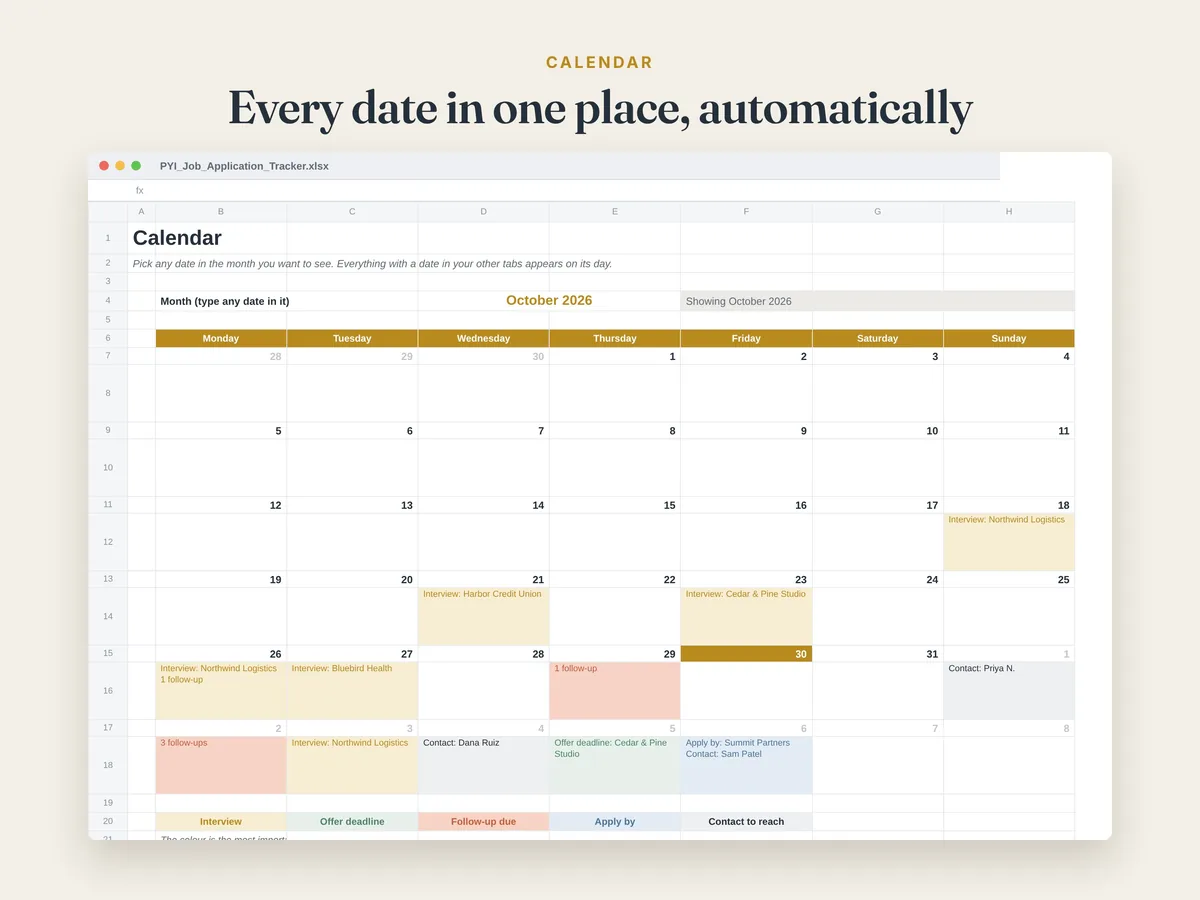
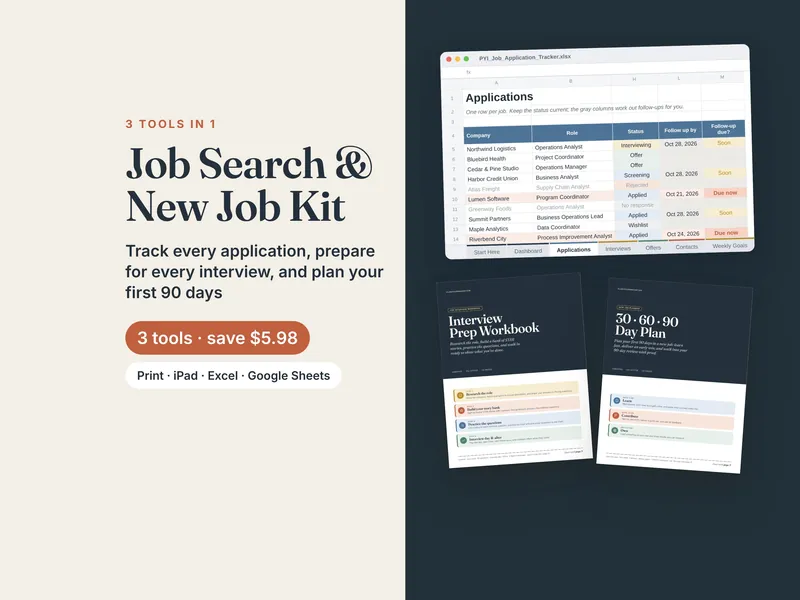
The Job Application Tracker does all of this for $4.99, in Excel and Google Sheets with no macros. It has 11 tabs. A dashboard shows your next interview with a countdown, what's due today, your response rate and the follow-ups due now. A calendar puts every interview, follow-up and deadline on its day automatically.
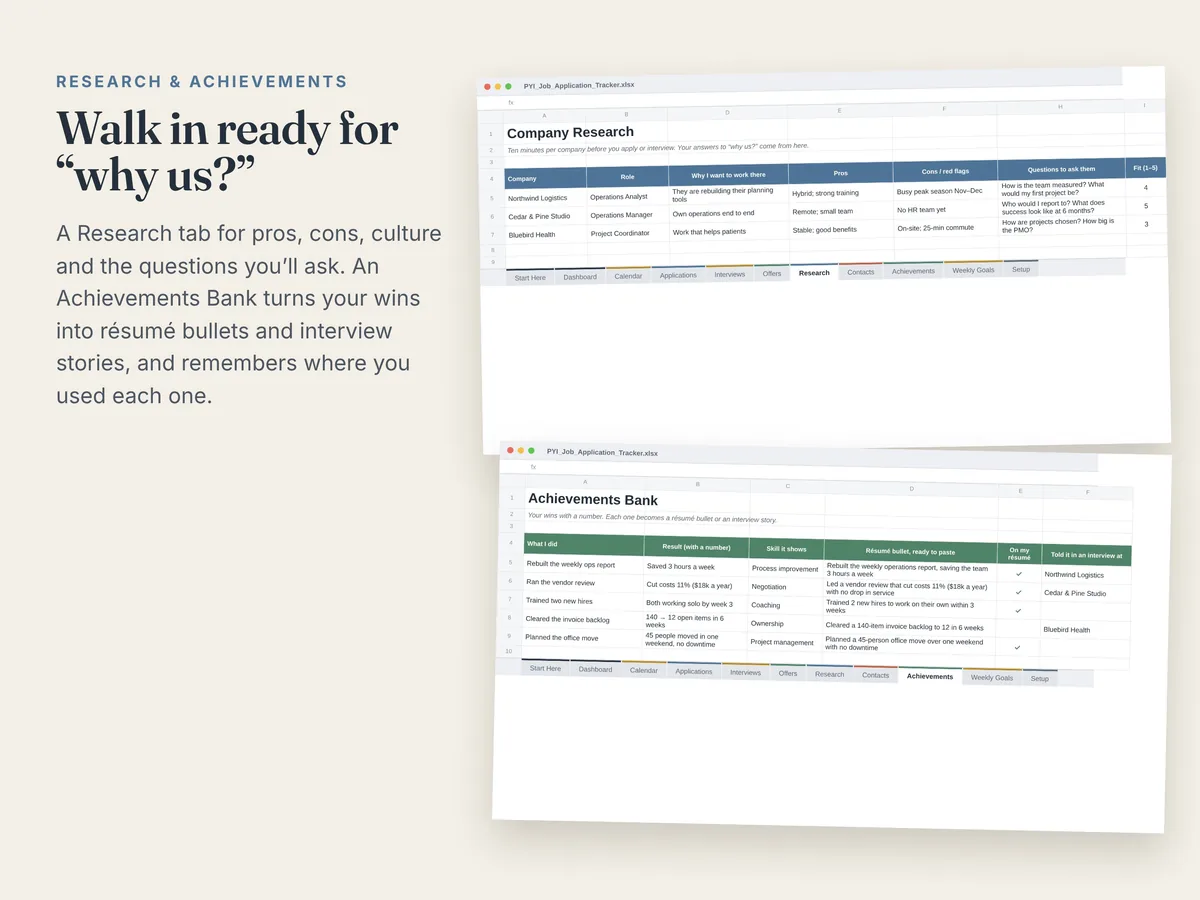
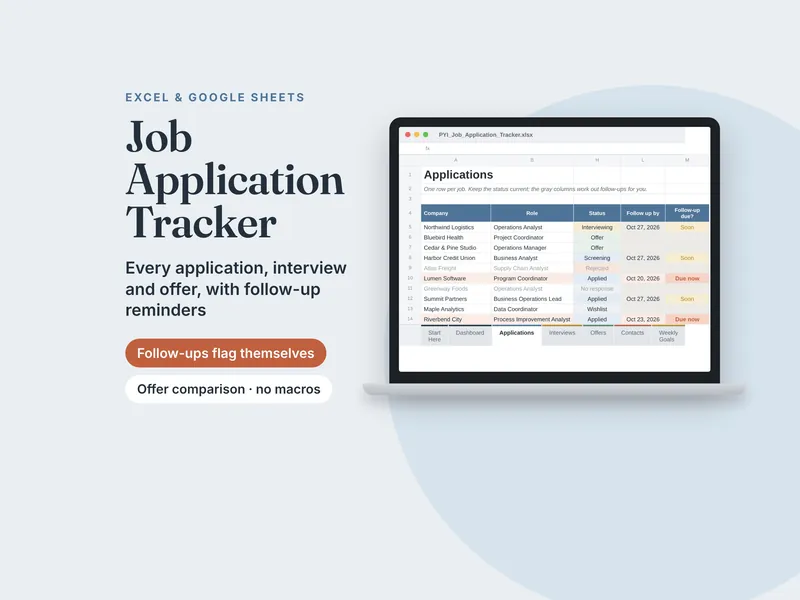
The Applications tab takes 300 rows, and a row turns orange when it's time to follow up. There's an Interviews log, an Offer Comparison for up to four offers against your target salary, a Research tab for each company, Contacts, an Achievements Bank of ready-to-paste résumé bullets and weekly application goals. It comes as a blank file and a filled-in example.
Every date from the other tabs lands on the calendar by itself.
From applications to your first 90 days
The Job Search & New Job Kit is $17.99 for three tools: the Job Application Tracker, the Interview Prep Workbook with its STAR answer guide for the 20 most common behavioral questions, and the 30-60-90 Day Plan with an editable version to bring to interviews. See the interview prep guide and the 30-60-90 day plan guide for more.
Research and an Achievements Bank, ready for "why us?" and your résumé.
Tips that make a tracker worth keeping
Log the application the moment you send it. Waiting until the end of the week is how rows go missing.
Write down the interview questions straight after each round. The same ones come up again.
Check the follow-ups every Monday and Thursday. It takes five minutes.
Set a weekly goal for applications you can actually keep, and count interviews, not just applications.
Keep your best wins in one place, with a number for each. You'll use them in your résumé, your cover letters and your interview answers.
Get one real page from the Job Search & New Job Kit: the Interview Tracker, with every company you're talking to, the stage, the next date and your thank-you notes on one page.
Free. Plus a short work-planning tip about once a week. Unsubscribe anytime.
Launching Wednesday, November 25
Career Command
The whole career set in one bundle: land the job, start strong, track your wins and get promoted, with the 2027 Goal Planning Kit included. Get one email on launch morning.
Free. Plus a short work-planning tip about once a week. Unsubscribe anytime.
The company, role, job link, date applied, status, last contact, next step and contact person for each application, plus an interview log and a way to compare offers.
Is there a job application tracker for Google Sheets?
Yes. The Job Application Tracker works in Google Sheets and Excel 2016 or newer, with no macros or add-ons.
How long should I wait to follow up on a job application?
About a week after you apply or last hear back is a common rule. The tracker uses 7 days by default, and you can change it on the Setup tab.
How do I compare two job offers?
Add up total first-year pay (base, bonus, equity, sign-on and retirement match), then score growth, team, the work and work-life balance. The Offer Comparison tab does both for up to four offers.
Does it work on a work computer?
Yes. There are no macros, add-ons or accounts, so it opens on locked-down computers and your data stays in your own file.